A tour of Manic Radar, the free network discovery tool: scan a range, check DNS, run basic security observations, test multicast and UDP streams end to end, and build a report. All addresses shown are local lab examples.
Screenshots
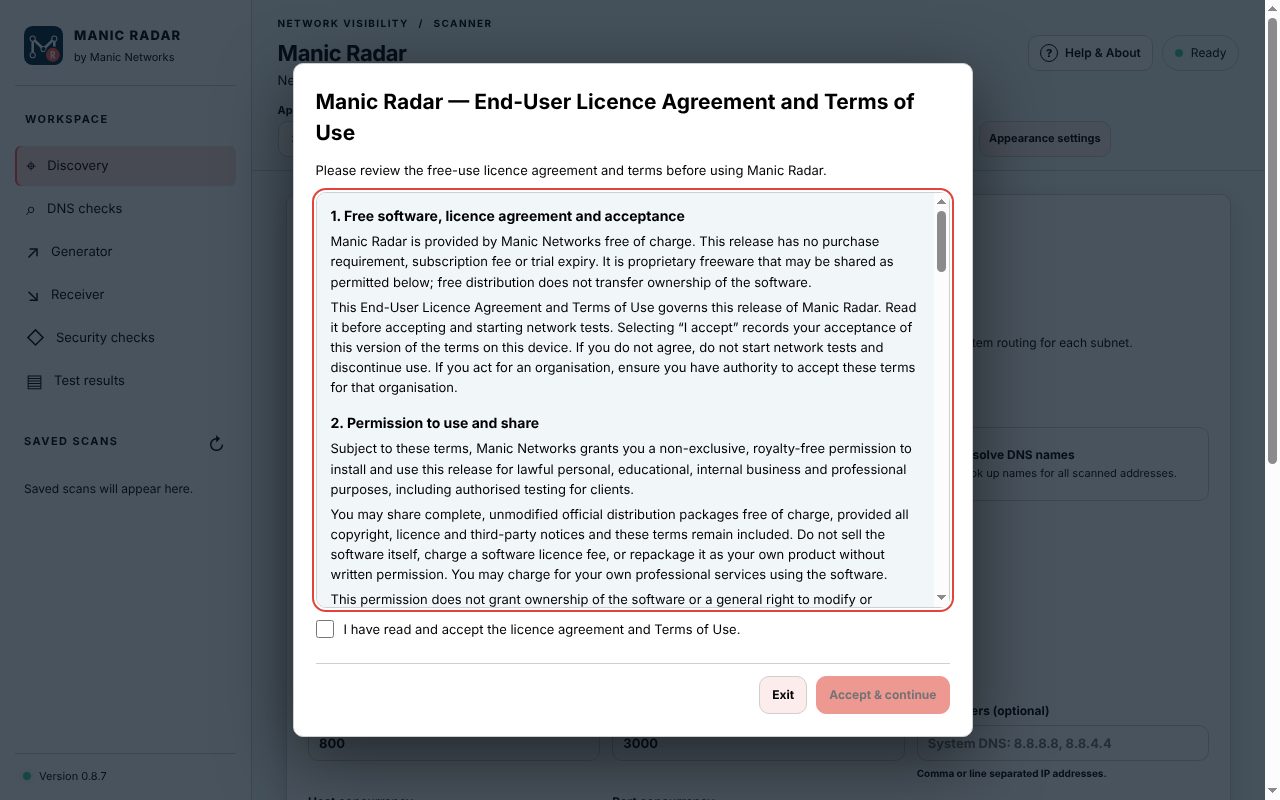
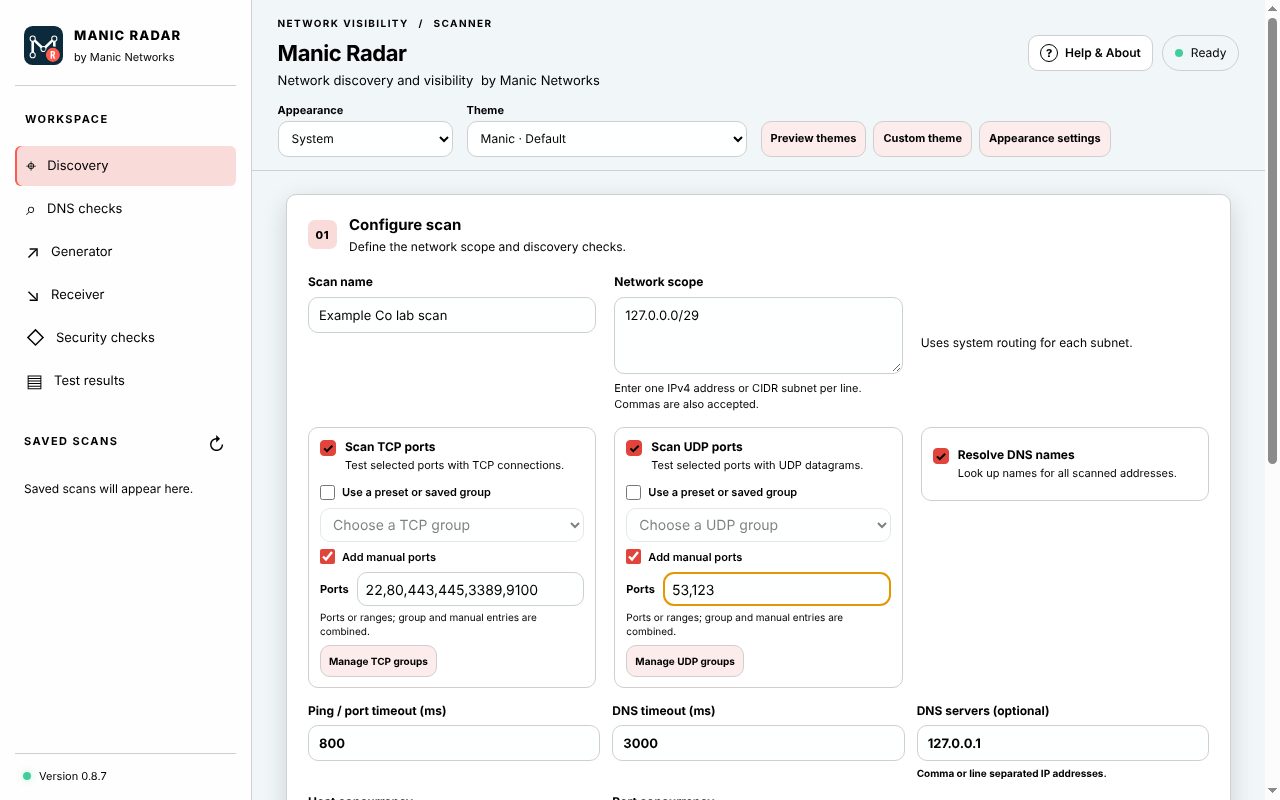
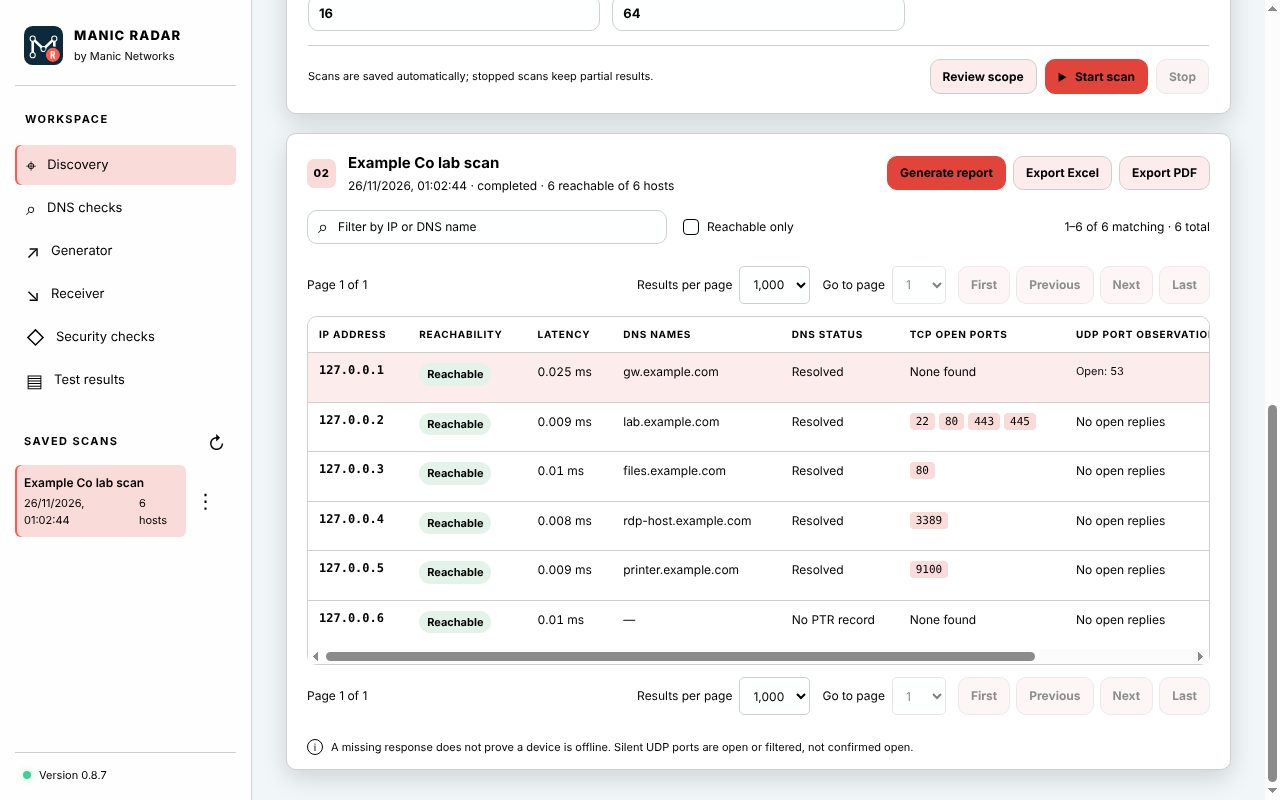
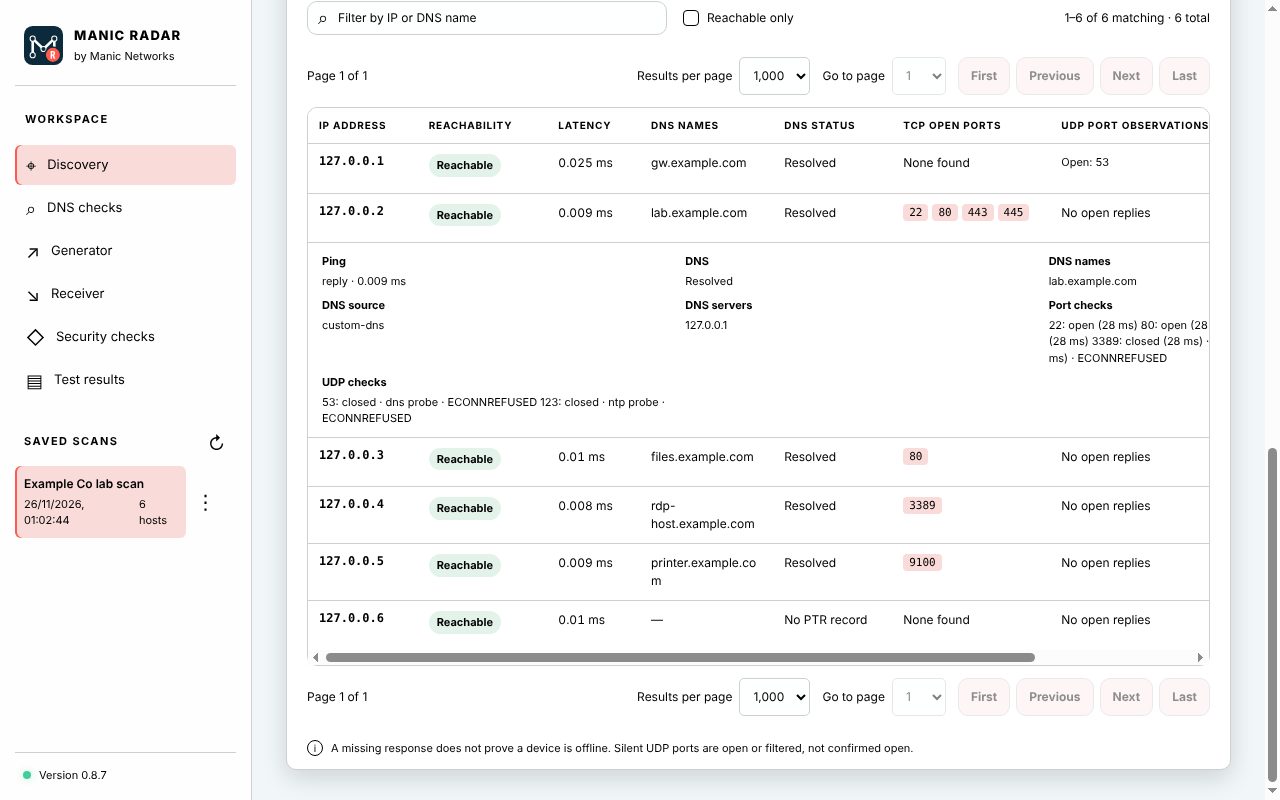
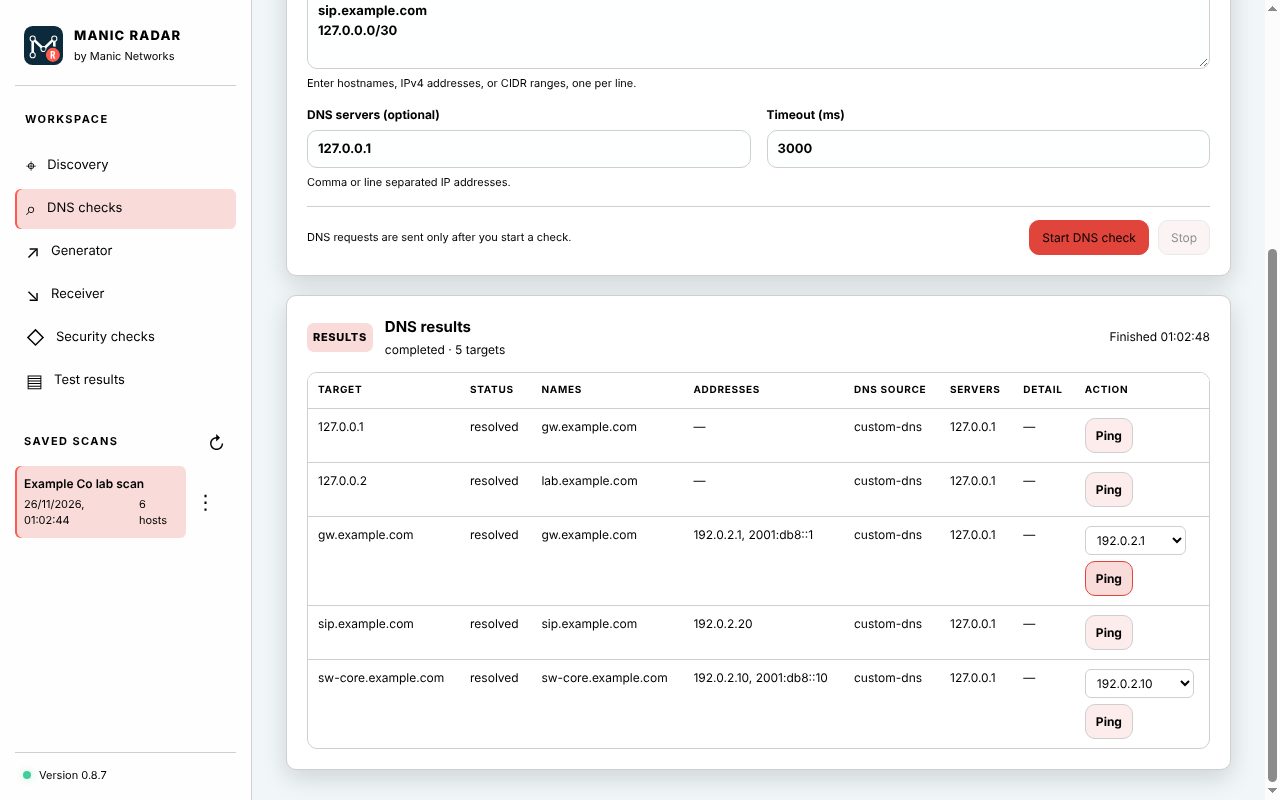
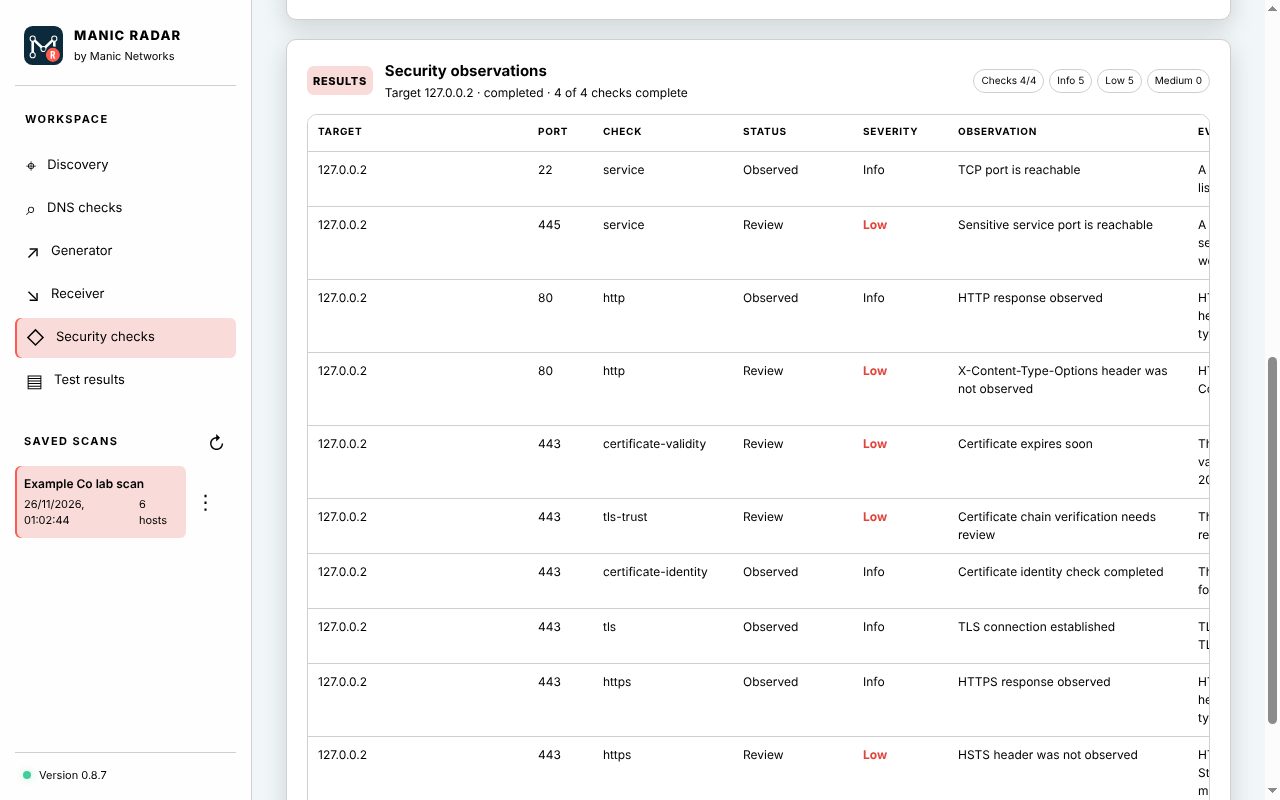
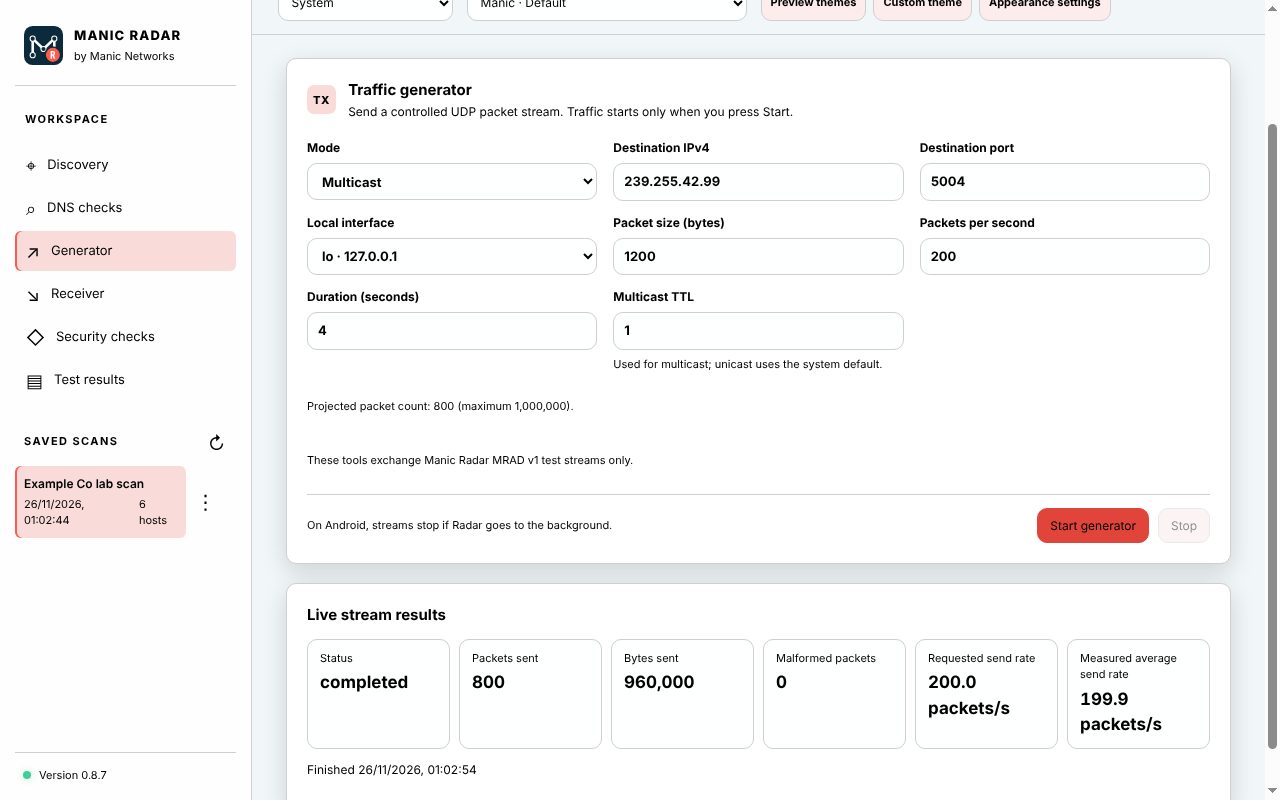
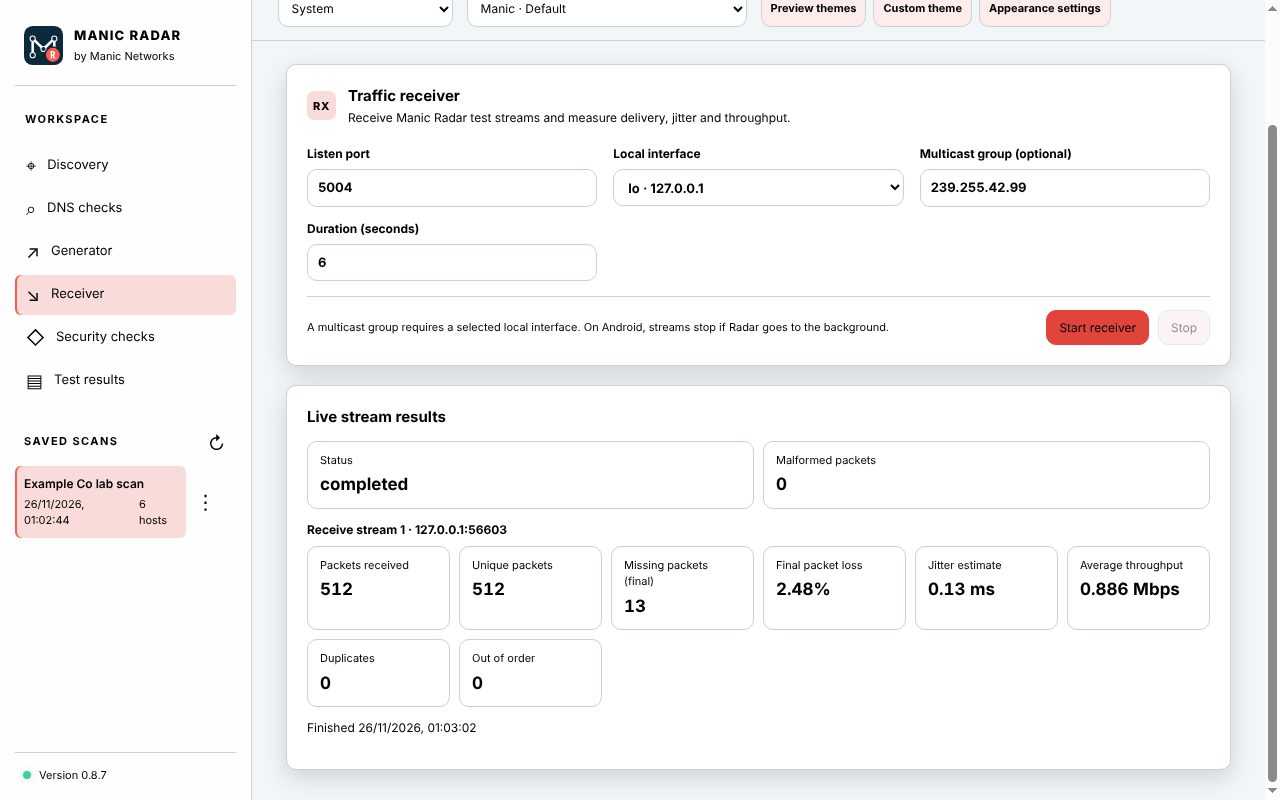
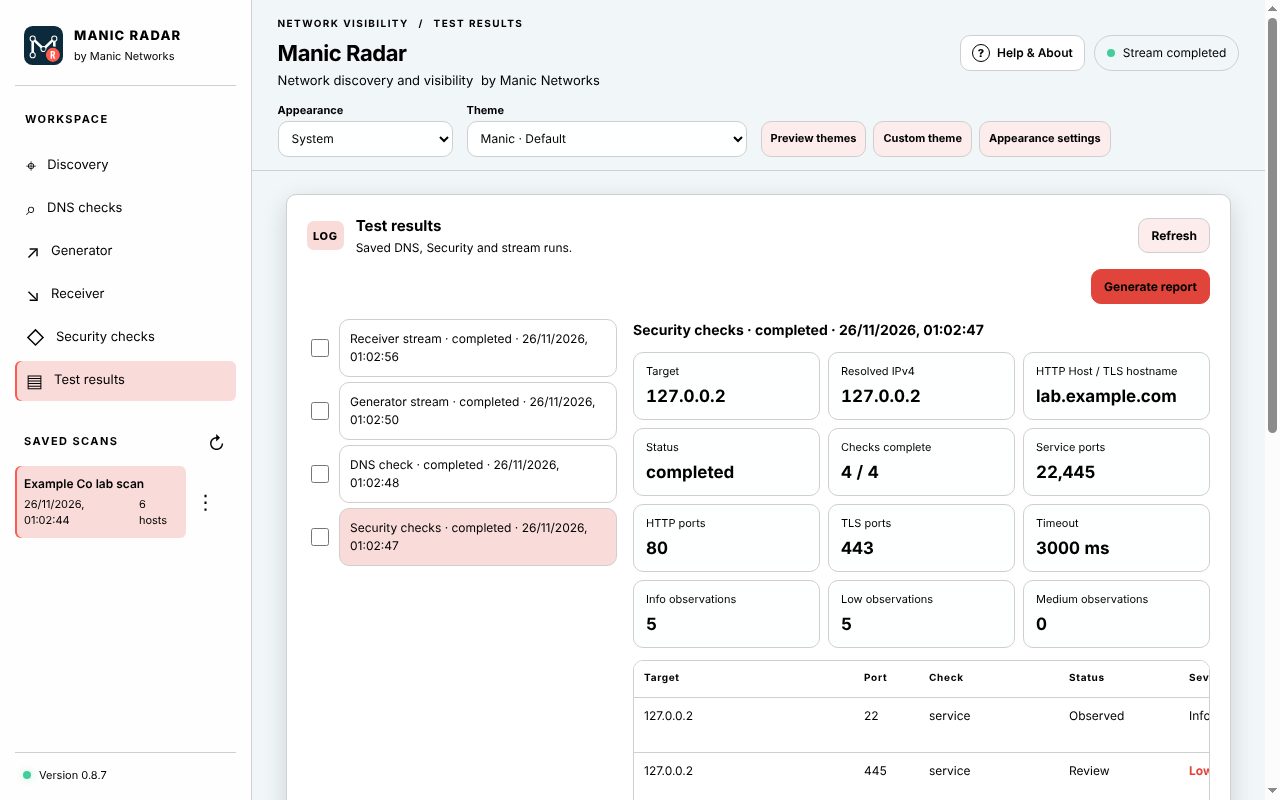
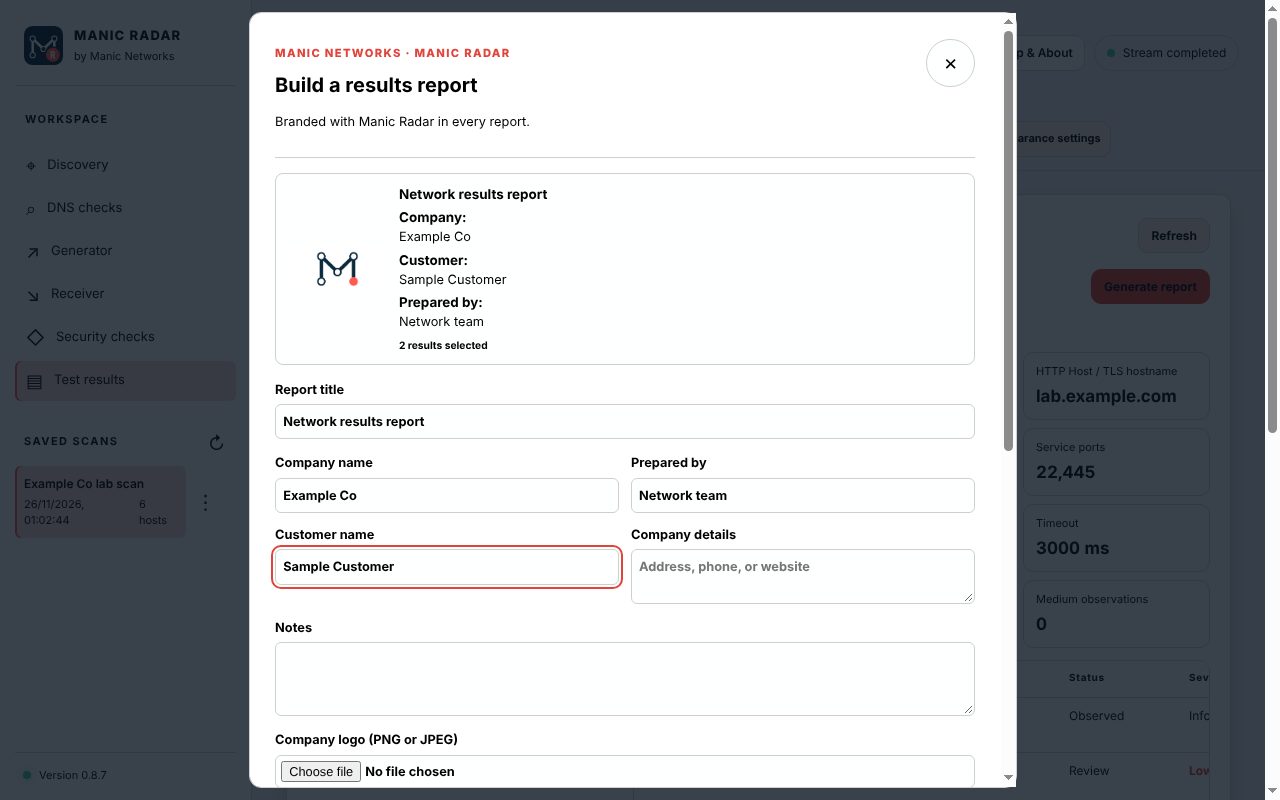
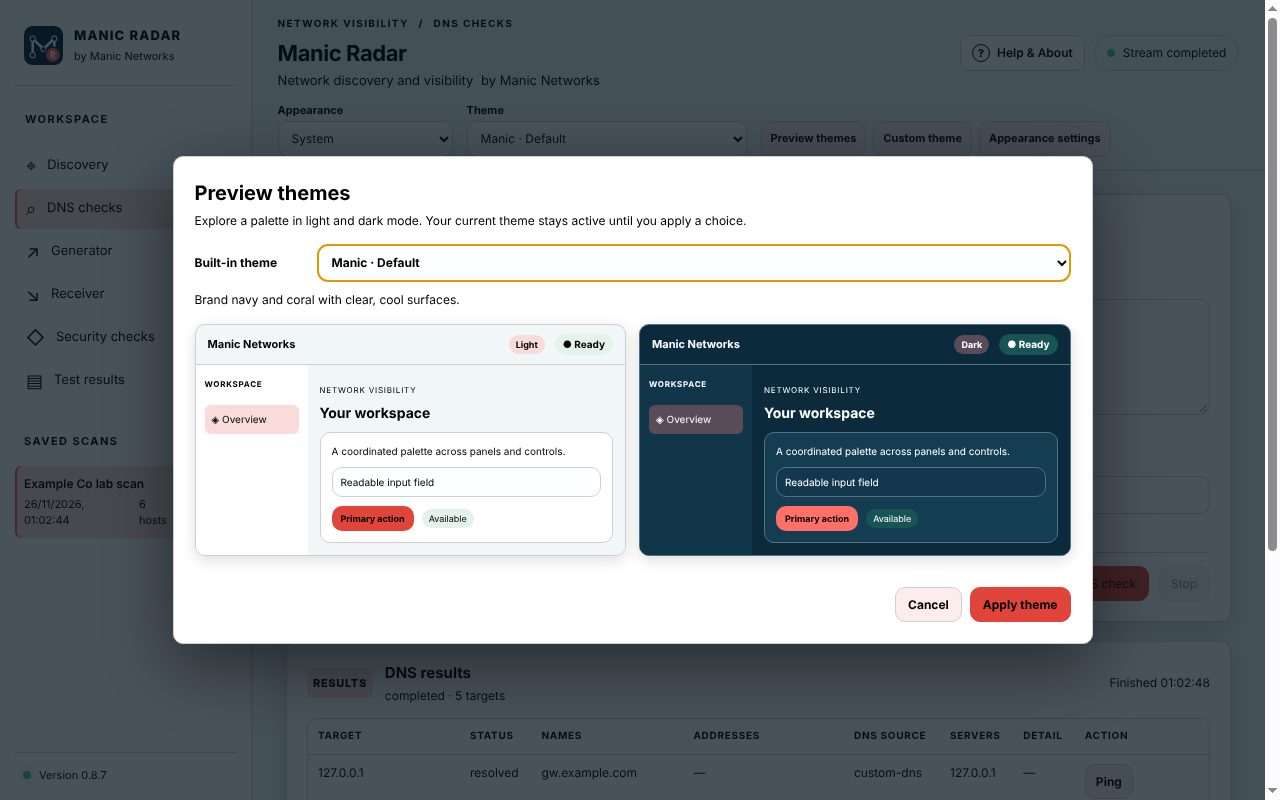
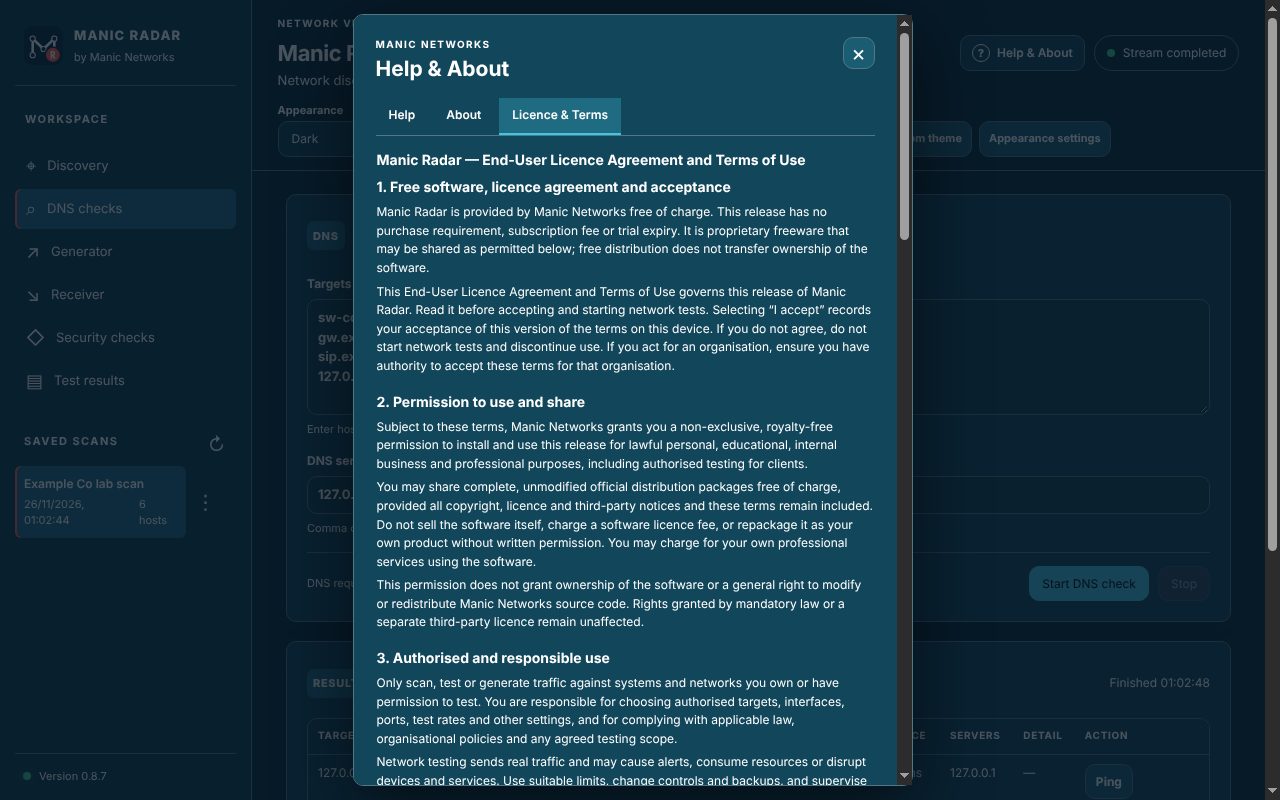
Licence and terms Read the free-use licence agreement and accept once on first start. The acceptance is stored on the device.Discovery setup Enter IPv4 addresses or CIDR ranges (up to 65,536 hosts), choose TCP and UDP ports or saved port groups, and optionally resolve DNS names.Scan results Reachability, latency, DNS names and open TCP and UDP ports for each host, with a results-per-page selector (100, 250, 500 or 1,000).Device details Expand a host to see the ping reply, the DNS source and servers, and the port probes behind each result.DNS checks Forward (A, AAAA) and reverse (PTR) lookups against the system resolver or servers you choose, with a ping beside every returned address.Basic security checks Observations on reachable service ports, HTTP response headers and TLS certificate details for one address, rated Info, Low or Medium.Traffic generator Send a UDP or multicast test stream at a chosen rate and duration, with packets, bytes and send rate measured live.Traffic receiver Receive a stream on a port or multicast group and see packet loss, jitter, duplicates, out-of-order packets and throughput.Saved test results DNS, security and stream runs are saved on the device so you can reopen and compare them later.Report builder Combine results into a PDF or Excel report with your company name, customer and logo.Themes Light and dark modes, 14 built-in themes and custom palettes.Help and licence Built-in help, the licence and terms, and a support address.
Ready to try it?
Free network discovery, DNS checks and multicast testing for network engineers. Scan a range, check DNS against the servers you choose and measure loss and jitter between two machines.